
Well my cunning plan of having Leopard sent to me failed – it didn’t show up in time before the goods inward at work closed on Friday, and so I went out and purchased another copy at 6:20pm on that night.
All is not lost – my parents will now be the proud owners of Leopard – Family version. At least they will be if it turns up at work before I head to NZ later this week.
So here is the whole sordid install story. Relax and look on in amazement as you’ll see hundreds of thousands of backup years, the actual moment of death of Tiger, not one but two spinning balls of death and, of course, plenty of refreshing eye candy.
The Install
Oh good – the bike courier has arrived with Leopard
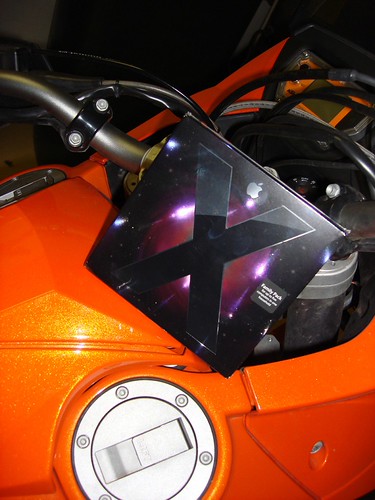
Goodbye Tiger, let’s start the Leopard install process…

Booting from the install CD. Can you feel the tension mount? – or is that just the external hard drive?

Welcome to Leopard. Grrrrr

I’m bored – so let’s browse the menus – and what do we have here? a log that let’s you see what is going on in real time…

Like everyone else, Leopard reckoned on 4 hours total – and took just under 1. That’s the log down the bottom.

Zooming in on the log – here’s the list of things to install. Those printers and languages took a surprisingly long time.

The install does a whole lot of deleting – almost all of the lines (statistically) were ‘trying to delete…’

Check out the cool menus. Great eye candy, but still totally functional.
This is it – I almost missed it – the moment Tiger disappeared. The soul of Tiger rent with the deletion of Faux Fur.jpg and Tiger.jpg . 
110216 files written in 145 seconds. That’s 760 per second! 
Watching the log grow, sipping wine – Nerdvana.

4 minutes to go, and I’m really bored. Time to start playing with the camera.

Uh oh – the spinning beach ball of death – while I’m saving the log. There was really no need to, but I was bored..

and we are about done: Final stats- just under an hour total time.

So here we go – rebooting into Leopard for the first time. Be still my heart. 
Welcome to Leopard. It’s looks like space. .

My new menu appears – but wait – is that the spinning pie of death already?

It seems I have a million things to back up. Literally.

My first foray into Time Machine, while it was still creating that first backup, resulted in a freeze for a few minutes. Ouch.

wow – spotlight’s going to take 17 hours to index!

Actually Time Machine’s first backup took me a day to get done properly. It really didn’t help when I knocked the external hard drive over, disconnecting the super fast but incredibly fickle eSata connection.

That resulted in the kernel maxing out the processors – it got worse later, with one processor showing 100% green in the chart below. 
Time machine and spotlight froze each other out. Spotlight reckoned on 2147483648 hours to index – which is around 245,146 years – probably more time than I have on this earth. So I rebooted and started again with USB 2.0.

This is Spaces: maxing out at 16 screens. With Time Machine in full create the first backup mode my poor latest Macbook Pro 17 was churning a bit. Second row, on the left is Excel under Windows.

The photo browser is cool – it just sits there for use by any application

Software update didn’t work at first – perhaps it waited until 6pm US time. It works fine now.

Mail promised a database upgrade, and I was nervous as I have 35,000 messages or so, but it took just seconds. Must be a decent DB under there.

And that is it. Leopard is now installed, and I can say it is everything everybody is raving about. Go buy it. and If you have not got a mac, then get one of those as well.


Show off! :-)
LikeLike
absolutely!
on the other hand it was otherwise quite a lame Friday night in Freo.
LikeLike
The geek in me wants to point out it was “-2147483648” hours remaining, so looks like they have a signed integer overflow bug in there somewhere… :-)
–Phil.
LikeLike